Senior-friendly iOS games• 12 min read
10 ad-free games for seniors on iPhone and iPad
Real games, direct App Store links, readable controls, honest prices, and the offline catches worth checking.

The short answer
The best ad-free games for seniors have readable controls, familiar rules, low-pressure play, and a price explained before the first round. Start with Fun Games for Flights for an ad-free iPhone collection, Mahjong for Seniors for large tiles, Solitaire Collection for familiar cards, or Seniors Game for a simple paid-once word game. An iPad is generally more comfortable for cards and jigsaws; an iPhone is easier to carry.
A free puzzle stops feeling free when a tiny close button interrupts every round.
For this guide, “ad-free” means the current Canadian App Store listing explicitly says there are no ads. That can still mean a paid download, optional one-time packs, or in-app purchases. We have separated those models because “no ads” and “no cost” are not the same promise.
Every choice below is a real iOS game with a direct listing. Player count, device support, cost model, and offline status are stated plainly. Prices and features can change, so confirm the listing before buying. If sharing one phone is the priority, our guide to pass-and-play games goes deeper; for a journey, compare the best offline flight games.
Choose for the person
What makes a game senior-friendly?
“For seniors” is not a genre. Comfort, taste, and a clean interface matter more than the label.Readable
Look for high contrast, large text, spacious cards or tiles, and important information that does not rely on colour alone.
Forgiving
Untimed turns, undo buttons, hints, and adjustable difficulty keep a game relaxing without making it dull.
Predictable
Simple menus and familiar rules reduce the chance of getting lost between the Home Screen and the next round.
Honest
No banners, surprise videos, disguised purchase buttons, or subscription prompts pretending to be part of play.
Compare the details
Ad-free iOS games at a glance
Store information checked Sept. 2, 2026. Prices shown are from the Canadian App Store.Ten real downloads
The best ad-free games for seniors
Your game choice should fit the person—not a stereotype about what older adults are supposed to enjoy.Fun Games for Flights ↗
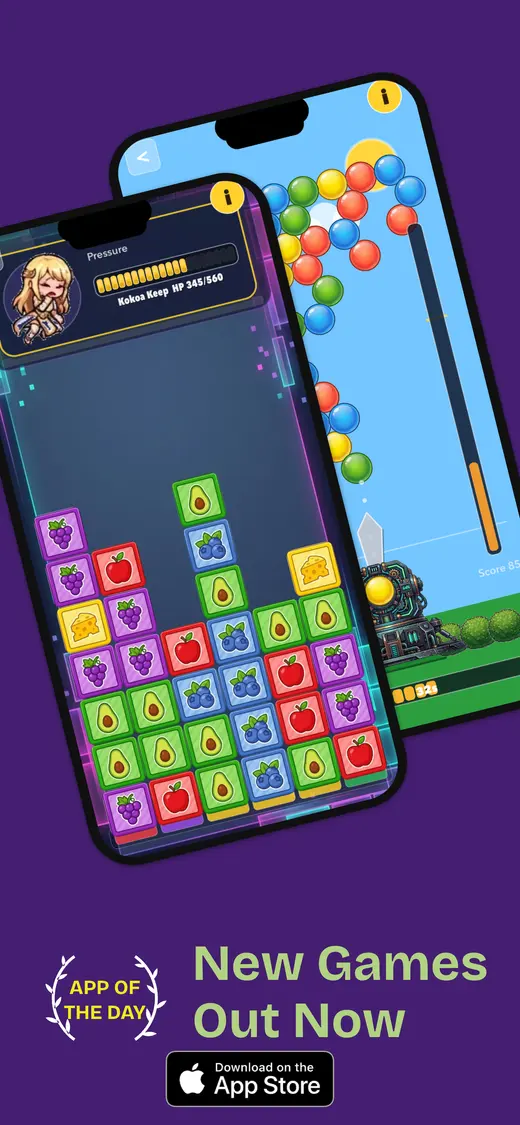
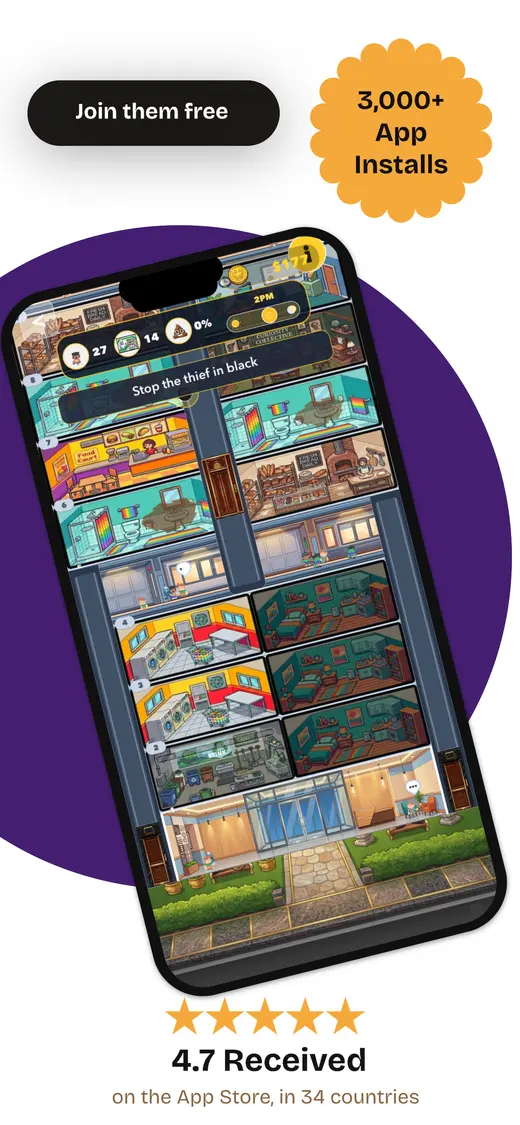
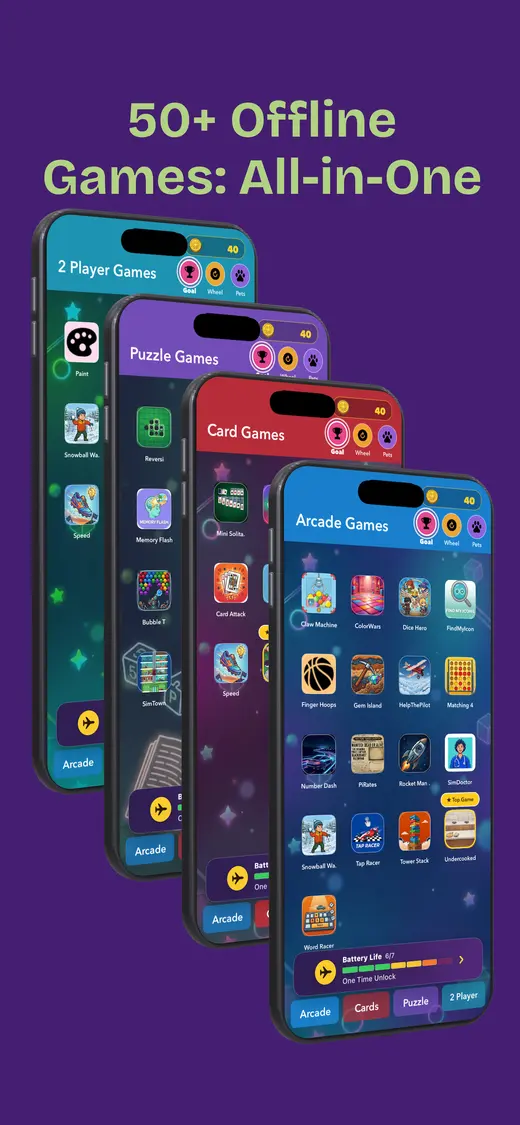
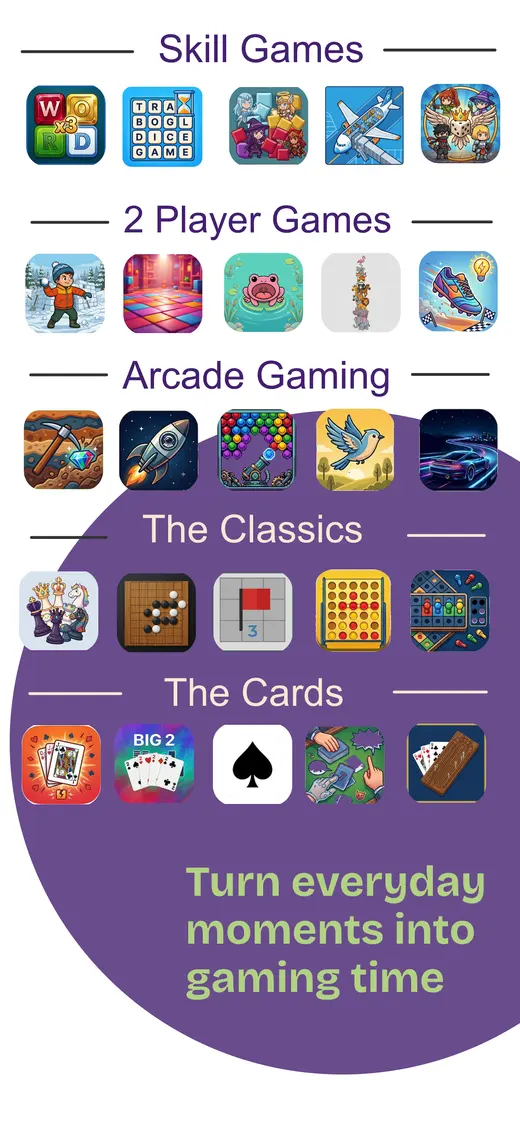
Variety in one download. Best when one person enjoys several kinds of games—or when a family wants choices without installing a folder full of apps. Fun Games for Flights combines solo activities, two-player turns, and group play with arcade, skill, card, and classic categories. It works offline after installation and the current listing says it contains no ads and collects no data. The catch is right in the device column: it is currently an iPhone app, not an iPad app. Open every section on Wi-Fi before a trip so the whole library is ready.
Players: Solo, two-player turns, groups · Devices: iPhone · Cost: Free; optional purchases · Offline: Yes, after installation
Mahjong for Seniors – No Ads ↗
Large, uncluttered mahjong tiles. The name is unusually honest about the audience. This matching game offers 141 levels, large and extra-large tile settings, VoiceOver support, and no advertising. A free portion lets you check the controls before deciding whether to buy the one-time full unlock. It is a good fit for someone who wants a familiar visual puzzle without banners competing for attention. The visible App Store description does not make an offline promise, however, and iCloud sync is listed as a feature. Test a few levels in airplane mode before counting on it away from Wi-Fi.
Players: Solo · Devices: iPhone and iPad · Cost: Free; one-time full unlock · Offline: Not promised in listing
Seniors Game: Easy & Relaxing ↗
Simple word play. This small word game keeps the task narrow: tap the synonym that matches the word on screen. It has 100 levels, large text, simple tap controls, no advertising, no subscription, and offline play. That makes it one of the least complicated options here for a first download. The trade-off is depth. Someone who races through word puzzles may finish it quickly, while a player who prefers gentle repetition may consider that restraint a feature. At under five megabytes in the current Canadian listing, it is also easy to keep installed.
Players: Solo · Devices: iPhone and iPad · Cost: $0.99 once · Offline: Yes
Solitaire Collection – No Ads! ↗
Familiar card games. Familiar rules lower the learning curve, and this collection includes seven solitaire variations with large-card options and offline play. The free version is advertised as ad-free; an optional Pro purchase adds features rather than removing interruptions. Klondike is the obvious starting point, while Spider and FreeCell add more challenge later. Check the card size and drag sensitivity on the actual device before recommending it. A layout that feels spacious on an iPad can still ask for uncomfortably precise movements on a smaller iPhone.
Players: Solo · Devices: iPhone and iPad · Cost: Free; optional $6.99 Pro · Offline: Yes
Sudoku ′ No ads ↗
A polished number puzzle. This is the established, paid-once choice for someone who already likes sudoku. It offers six difficulty levels, large number buttons, hints, notes, and offline play without advertising. More than 2,900 ratings on the Canadian store make it less of an experiment than many newer no-ad releases. Sudoku still requires careful visual scanning, so increase system text size and check contrast before buying. It suits a person who wants a quiet daily puzzle—not someone hoping the app will teach every rule from scratch.
Players: Solo · Devices: iPhone and iPad · Cost: $2.99 once · Offline: Yes
LetterLogic – Word Game ↗
High-contrast word grids. LetterLogic is a compact word-grid game with no ads, sign-up, limits, or data collection according to its listing. Its high-contrast, colour-blind-friendly palette is more useful than a decorative ‘senior mode’ buried in settings. It also works offline. The main caution is simply that it is new and has too few ratings for a meaningful store average. Free makes that easy to handle: install it, complete several boards, and keep it only if the letter size and logic feel comfortable rather than fiddly.
Players: Solo · Devices: iPhone and iPad · Cost: Free · Offline: Yes
Jigsaw Puzzles: Cozy Offline ↗
Calm visual puzzles. This jigsaw app avoids ads, timers, and subscriptions. One art collection is included, with optional collections sold as one-time purchases, and all 100 puzzles are designed to work offline. It is a particularly sensible iPad choice because pieces have room to breathe; the same puzzle can feel crowded on a phone. Download the collection, turn on airplane mode, and make sure completed progress remains available. The app is roughly 129 MB, so it deserves that check before a journey or a limited-data connection.
Players: Solo · Devices: iPhone and iPad · Cost: Free collection; optional one-time packs · Offline: Yes
Chess Premium ↗
Chess against AI or a friend. Chess Premium costs more upfront, but the model is wonderfully plain: no ads and no subscription. Play offline against adjustable computer opponents or pass the device to a friend for a two-person match. Family Sharing is supported, which can make the one-time price easier to justify across a household. It is best for someone who already wants chess; it would be an expensive way to discover they do not. Set the AI low for the first games and confirm that the board is comfortable to read without leaning toward the screen.
Players: One or two · Devices: iPhone and iPad · Cost: $12.99 once · Offline: Yes
Leave Me Alone Games! ↗
Several classics without accounts. The slightly grumpy name hides a tidy promise: no ads, accounts, subscriptions, tracking, or in-app purchases. Its small collection includes chess, checkers, tic-tac-toe, backgammon, 2048, mahjong, sudoku, and Farkle. That breadth is handy for someone who values familiar rules over elaborate animation. The listing does not clearly promise offline operation or describe every local-player mode, so do not infer either from the lack of accounts. Test the exact game and mode you care about with Wi-Fi and cellular data disabled.
Players: Mostly solo · Devices: iPhone and iPad · Cost: $4.99 once · Offline: Not promised in listing
Game Nest – Offline Games ↗
A large offline collection. Game Nest currently bundles 77 games without ads or an account. Most work fully offline, with categories ranging from cards and boards to word and number puzzles; some support pass-and-play, and online play is optional in 11 games. Adjustable computer difficulty is useful when a standard opponent feels either impossible or half asleep. A collection this large can also feel busy, so help a new player favourite two or three games first. Its roughly 140 MB size and optional purchases are the practical catches.
Players: Solo and some pass-and-play · Devices: iPhone and iPad · Cost: Free; optional purchases · Offline: Yes

Five-minute setup
Make the device easier before adding games
- Increase the text. In Settings, open Display & Brightness, then Text Size. Bold Text and Display Zoom can help too.
- Reduce distractions. Put two or three chosen games on the first Home Screen and move everything else out of the way.
- Check purchases. Review the price together, disable accidental purchases, and do not attach a payment method merely to try a free game.
- Play one round together. Show how to start, pause, undo, and return home. Let the player control the device rather than watching a demonstration.
- Test offline. Download extra content, enable airplane mode, close the app, reopen it, and finish a round.
Read the price once
Three honest ways an ad-free game can charge
The business model is not the problem. Surprise is.
Completely free
LetterLogic currently offers the whole game without ads, sign-up, limits, or payment. New free apps may have fewer reviews, so test quality rather than assuming a price proves it.
Free with optional unlocks
Fun Games for Flights, Mahjong for Seniors, Solitaire Collection, Jigsaw Puzzles, and Game Nest let you begin free and sell optional content or features. Check whether the free portion feels complete.
Paid once
Seniors Game, Sudoku, Chess Premium, and Leave Me Alone Games ask for one payment. That can be simpler than a recurring subscription, but confirm Family Sharing and refunds before buying.
Apple Arcade
For a household that plays many games, Apple Arcade bundles hundreds of titles without ads or in-app purchases. It is a recurring subscription, and not every game has senior-friendly controls.
Our first pick · Free on iPhone
Fun Games for Flights keeps several kinds of play in one place.
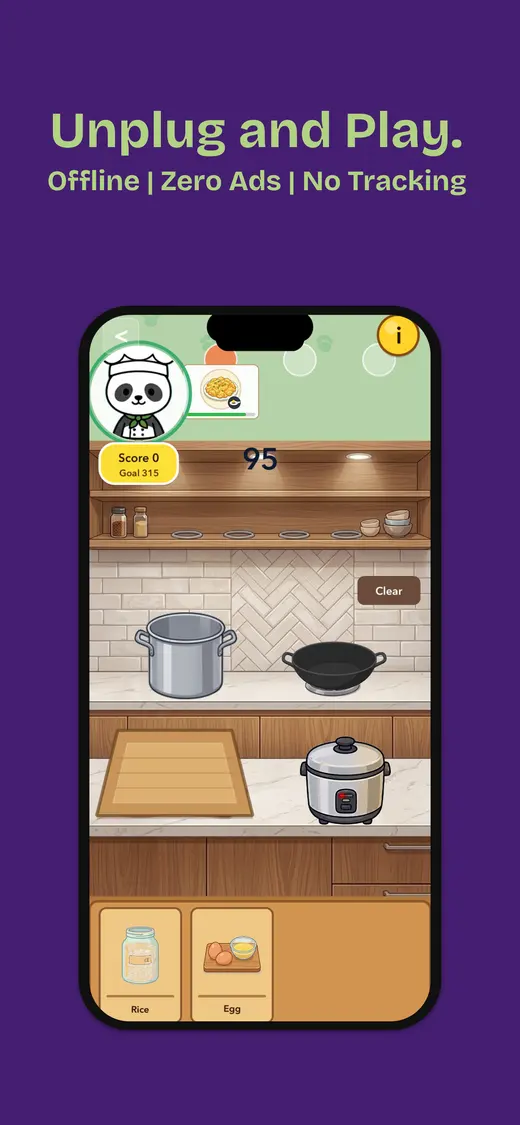
We built Fun Games for Flights for the moment when one puzzle is not enough. It includes choices for playing alone, taking turns with another person, and getting a small group involved—all without advertising or an internet connection after installation.
The variety is the useful part. Someone can try a card game, switch to a skill challenge, then hand the phone to a friend without hunting through the App Store again. The current limitation is iPad support: download this one for iPhone.
- No ads
- Works offline after installation
- Solo, two-player, and group games
- No data collected
People also ask
Ad-free games for seniors FAQ
Quick answers before installing anything.What are the best free games for seniors with no ads?
Fun Games for Flights is a varied free choice for iPhone, while LetterLogic is a focused free word game for iPhone and iPad. Game Nest offers a much larger collection. Free can still include optional purchases, so check the App Store purchase list before installing.
Are there really free games with no ads?
Yes, but read the whole pricing model. Some games are completely free, some include a free set and sell extra content once, and others use a subscription. An honest no-ad game can use any of those models; the important part is that it states the cost before play is interrupted.
What makes a mobile game senior-friendly?
Look for readable text, strong contrast, large tap targets, simple navigation, adjustable difficulty, untimed play, and a predictable price. Familiar rules help too. Age alone does not decide taste, so start with the kind of card, word, board, or visual puzzle the person already enjoys.
Is an iPhone or iPad better for older adults?
An iPad gives cards, puzzle pieces, and controls more room, while an iPhone is lighter and easier to carry. The best choice depends on eyesight, reach, grip, and where the game will be played. Try the same kind of tap and drag gesture on both sizes when possible.
Do ad-free games for seniors work without internet?
Some do, but ad-free and offline are separate promises. This guide marks games whose current listings explicitly mention offline play and flags the listings that do not. Always open the game, download extra content, enable airplane mode, and complete a test round.
Can games prevent dementia or memory loss?
No mobile game should be presented as a treatment or guarantee. Games can be enjoyable, social, and mentally engaging, but medical concerns about memory or cognition belong with a qualified health professional.
Keep the game. Lose the interruption.